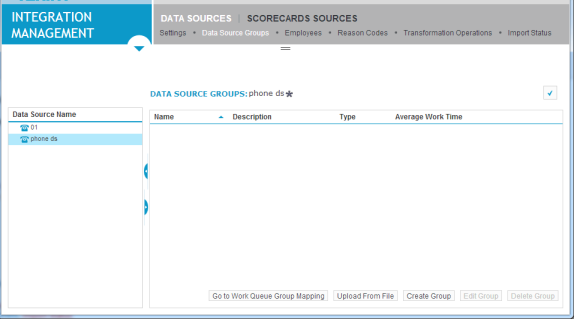
Working with data source groups
Data Source groups are groups of telephone extensions that allow automation. For example, in a certain type of group, incoming calls are passed from extension to extension within the group until the call is accepted, optimizing employee and extension usage. This section describes how to create and edit groups, import group information from a .csv file, and access the queues for multiple groups.
Data source groups also identify the particular entity for which you are scheduling or forecasting, such as group, skill Defined level of knowledge that an employee needs in order to handle a defined workload in WFM. set, queue Entity that represents demand in WFM. Queues help predict workload by multiplying the volume of customer interactions by their expected handling time., and more.
The Data Source Groups page is only available with certain data source Third-party systems that provide data to the system, including employee and device states, and data change events. Typical data sources are phone switches, PBXs, or LANs. types.
Procedure
-
Navigate to Data Sources > Settings in either the Integration Management or Recording Management module.
-
On the left pane, select the data source for which you want to create or edit a data source group.
-
Click the Data Source Groups page.